How to Run OpenClaw on Your Laptop with Docker (No Server Needed)
You don't need a VPS. You don't need AWS. You can run a personal AI agent on the computer you're reading this on — and have it answering messages on Telegram or Discord in under five minutes.
Why Run OpenClaw Locally?
The default advice for running an AI agent is "spin up a VPS." And if you need 24/7 uptime, that's still the right call. But a lot of people don't need that — they want a personal assistant they can talk to during the day, experiment with on weekends, or demo to friends.
For that, your laptop is the perfect server:
- No monthly costs. No $5-20/month VPS bill. You already own the hardware.
- Your data stays local. Conversations, files, and agent workspace never leave your machine (API calls to Claude/GPT still go to their servers, of course).
- Faster iteration. Change a config, restart the container, test immediately. No SSH, no deployment pipeline.
- Zero DevOps. No firewall rules, no DNS, no SSL certificates. Docker handles everything.
What You Need
Before you start, make sure you have:
- Docker Desktop — Free for personal use. Download for Mac, Windows, or Linux →
- An API key — From Anthropic (for Claude) or OpenAI (for GPT). Pay-per-use, typically a few dollars per month for personal use.
- A bot token — From Telegram's BotFather or Discord Developer Portal. Both are free.
That's it. No AWS account, no domain name, no credit card for server hosting.
Option 1: Docker Compose (Manual Setup)
If you're comfortable with the terminal, you can run OpenClaw directly with Docker Compose. Create a file called docker-compose.yml anywhere on your computer:
services:
  openclaw:
    image: ghcr.io/openclaw/openclaw:latest
    container_name: my-agent
    restart: unless-stopped
    volumes:
      - agent-data:/home/node/.openclaw
    environment:
      - ANTHROPIC_API_KEY=sk-ant-your-key-here
      - OPENCLAW_MODEL=anthropic/claude-sonnet-4-20250514
      - TELEGRAM_BOT_TOKEN=your-telegram-bot-token
    ports:
      - "3000:3000"

volumes:
  agent-data:
Then run:
docker compose up -dYour agent is now running. Open Telegram, find your bot, and send it a message. It should respond within a few seconds.
To stop it: docker compose down. To check logs: docker compose logs -f.
Option 2: SingleClaw (Dashboard Setup)
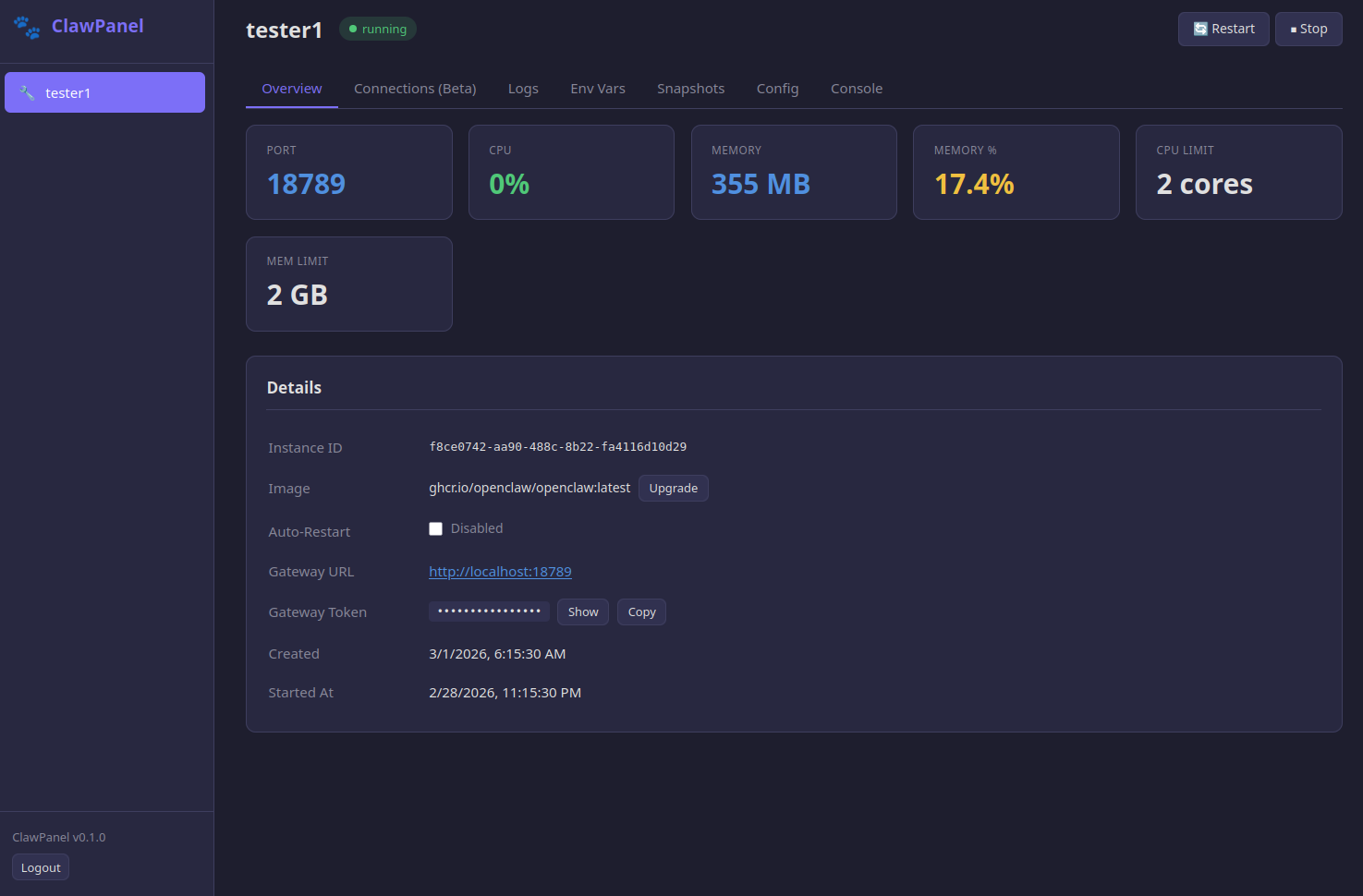
If you'd rather skip the YAML and get a visual dashboard, SingleClaw wraps the entire setup in a browser-based GUI.
Install it with one command:
curl -fsSL https://clawworks.io/singleclaw/install.sh | bashThen open http://localhost:8080 in your browser. From there you can:
- Enter your API key and bot token through the GUI
- Monitor CPU, memory, and disk usage in real time
- Access a web terminal into your container (no Docker CLI needed)
- Create snapshots before making changes
- Use the built-in Claude Code terminal for troubleshooting
SingleClaw is $25, once — lifetime license, all future updates. Learn more →
Connecting to Telegram or Discord
Telegram
- Open Telegram and message @BotFather
- Send
/newbotand follow the prompts to create your bot - Copy the bot token (looks like
123456:ABC-DEF1234...) - Add it to your
docker-compose.ymlasTELEGRAM_BOT_TOKEN, or paste it into SingleClaw's dashboard - Restart your container. Find your bot in Telegram and send it a message.
Discord
- Go to the Discord Developer Portal
- Create a new application, then create a bot under the Bot tab
- Copy the bot token
- Add it as
DISCORD_BOT_TOKENin your config - Invite the bot to your server using the OAuth2 URL generator (select "bot" scope)
Your local agent handles both platforms — the bot token connects through the internet, even though the agent itself runs on your computer.
Tips for Running Locally
- Set resource limits. Add
deploy.resources.limitsin your compose file to cap CPU and memory. OpenClaw is lightweight, but it's good practice on a shared machine. - Use Docker Desktop's auto-start. Enable "Start Docker Desktop when you log in" and set your container to
restart: unless-stopped. Your agent starts automatically when you boot your computer. - Keep Docker updated. Docker Desktop auto-updates on Mac and Windows. On Linux, run
docker compose pull && docker compose up -dperiodically to get the latest OpenClaw image. - Back up your workspace. The
agent-datavolume contains your agent's memory and config. Usedocker volume inspect agent-datato find the path if you want to back it up manually, or use SingleClaw's snapshot feature.
When to Move to a Server
Running locally is great for personal use, but there are reasons you might eventually want a server:
- 24/7 uptime — Your laptop sleeps, your agent sleeps. If you need always-on, a VPS is the answer.
- Multiple agents — If you want 2+ agents working together, ClawPanel on a VPS gives you swarm management.
- Team access — If other people need to manage the agent, a server with ClawPanel's multi-user permissions makes more sense.
- Zero maintenance — If you don't want to think about Docker at all, Managed Hosting handles everything for you.
But for a personal assistant you chat with during the day? Your laptop is all you need.
FAQ
Yes. OpenClaw runs in a Docker container and works on any Mac, Windows, or Linux computer. You don't need a VPS or cloud server.
Your agent runs while Docker is running. If you close your laptop or shut down, the agent stops. It picks back up automatically when you restart (with restart: unless-stopped).
OpenClaw is free and open source. You'll need an API key from Anthropic or OpenAI — typically a few dollars per month for personal use. SingleClaw (optional dashboard) is $25 one-time.
OpenClaw is lightweight — it mostly makes API calls. Idle CPU usage is near zero. You can set resource limits to cap memory and CPU if you want to be safe.
Yes. Telegram and Discord bots use polling — your local agent reaches out to their servers to check for new messages. No port forwarding or public IP needed.
No. You can run OpenClaw with just Docker Compose and the terminal. SingleClaw adds a visual dashboard, web console, snapshots, and Claude Code — it's a convenience, not a requirement.
Ready to Run Your Own Agent?
Install Docker, run one command, and you're live.