Multi-Agent Dashboard for OpenClaw
Spin up, configure, and orchestrate multiple OpenClaw instances from a single Docker-based GUI. ClawPanel is the AI agent management dashboard built for developers who run agent swarms.
Take the tour — see ClawPanel in action →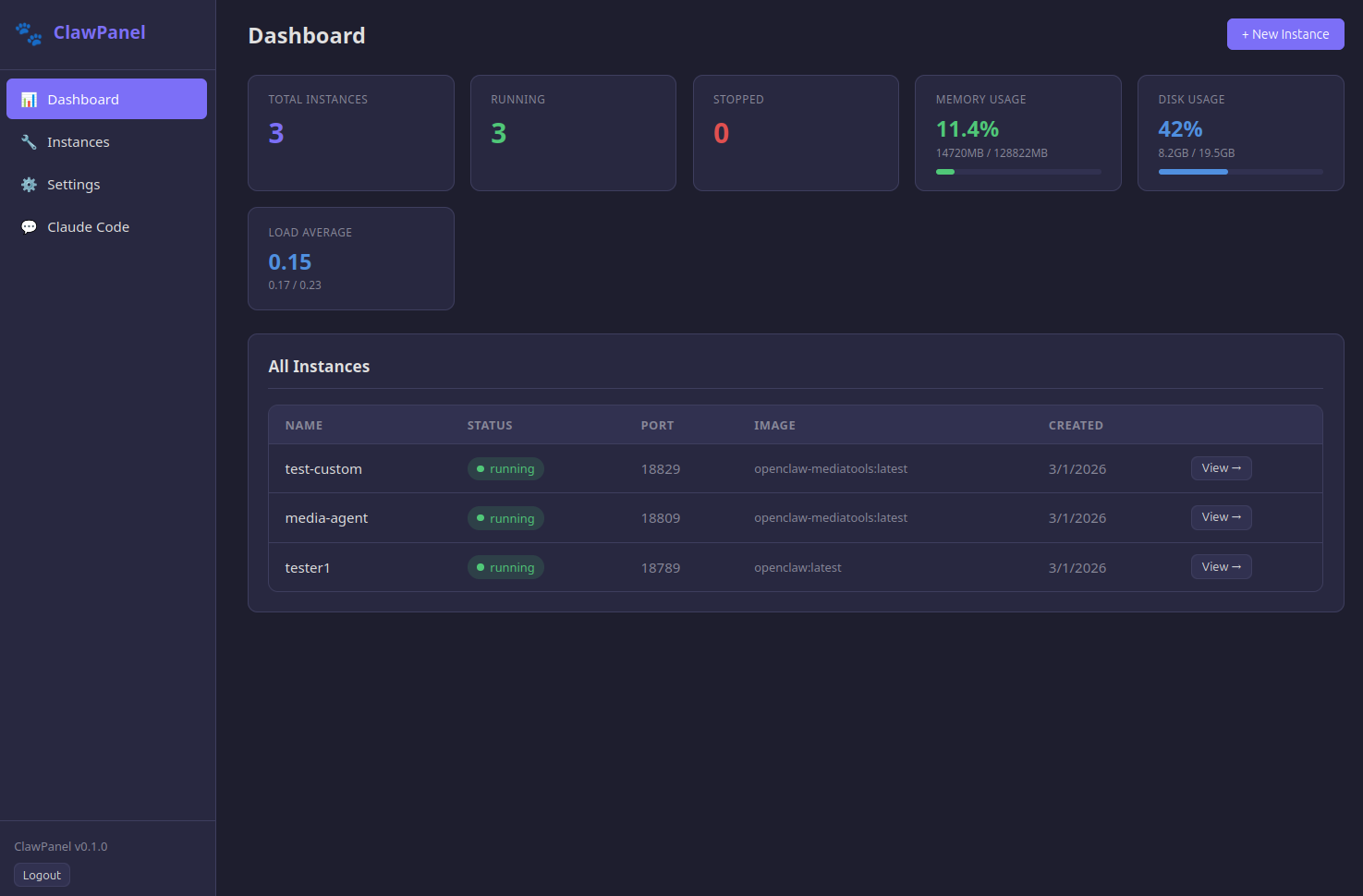
Why Teams Use ClawPanel for OpenClaw Multi-Agent Management
Running one OpenClaw agent is straightforward. Running five — each with different models, channels, and toolsets — gets complicated fast. ClawPanel gives you a visual dashboard to manage every instance from one place, with Claude Code built in for custom image creation and real-time troubleshooting.
Key Features of the OpenClaw Dashboard
How ClawPanel Works
Step 1: Install ClawPanel — Run one command on any Linux server. Docker is installed automatically if needed.
Step 2: Connect Your Agents — Add your Telegram bot tokens, Discord credentials, or API keys. ClawPanel discovers existing OpenClaw containers automatically.
Step 3: Manage Everything — Use the dashboard to monitor, configure, and scale your agent fleet. Claude Code helps with custom setups and troubleshooting.
Install ClawPanel
Run this on any Linux server (Ubuntu, Debian, etc.) with root access. Docker will be installed automatically if it's not already present.
curl -fsSL https://clawworks.io/clawpanel/install.sh | bashThe installer pulls the latest ClawPanel image, starts the container, and prints your admin token and dashboard URL. Enter your license key in the dashboard to activate.
After installation, manage ClawPanel from anywhere on the server:
clawpanel start      # Start ClawPanel
clawpanel stop       # Stop ClawPanel
clawpanel restart    # Restart ClawPanel
clawpanel update     # Pull latest version and restart
clawpanel logs       # Follow container logs
clawpanel status     # Show container status
Who Is ClawPanel For?
- ✓ Developers running multiple OpenClaw agents for different projects or clients
- ✓ Agencies managing AI assistants across several Telegram/Discord channels
- ✓ Solopreneurs who want a personal AI swarm without DevOps complexity
- ✓ Teams that need shared access to agent infrastructure with role-based permissions
ClawPanel Pricing
ClawPanel FAQ
Docker installed on a Linux, Mac, or Windows machine. That's it. No Kubernetes, no cloud services required.
As many as your hardware supports. ClawPanel has no artificial limits. Most users run 3-10 agents on a single server.
Yes. ClawPanel runs on your hardware — you have full control. Managed hosting means we run everything for you in the cloud.
ClawPanel is a one-time purchase with a straightforward refund policy. If it doesn't work for your setup, contact us within 7 days.
Want the full infrastructure to sell managed agents? Check out ClawWorks Blueprint.
Read our guide: How to Set Up Multiple OpenClaw Agents