Run OpenClaw on Your Own Computer
No VPS. No AWS. No monthly server bill. SingleClaw lets you run a personal AI agent on your laptop or desktop using Docker — with a clean dashboard to manage everything. Your data stays on your machine.
Take the tour — see SingleClaw in action →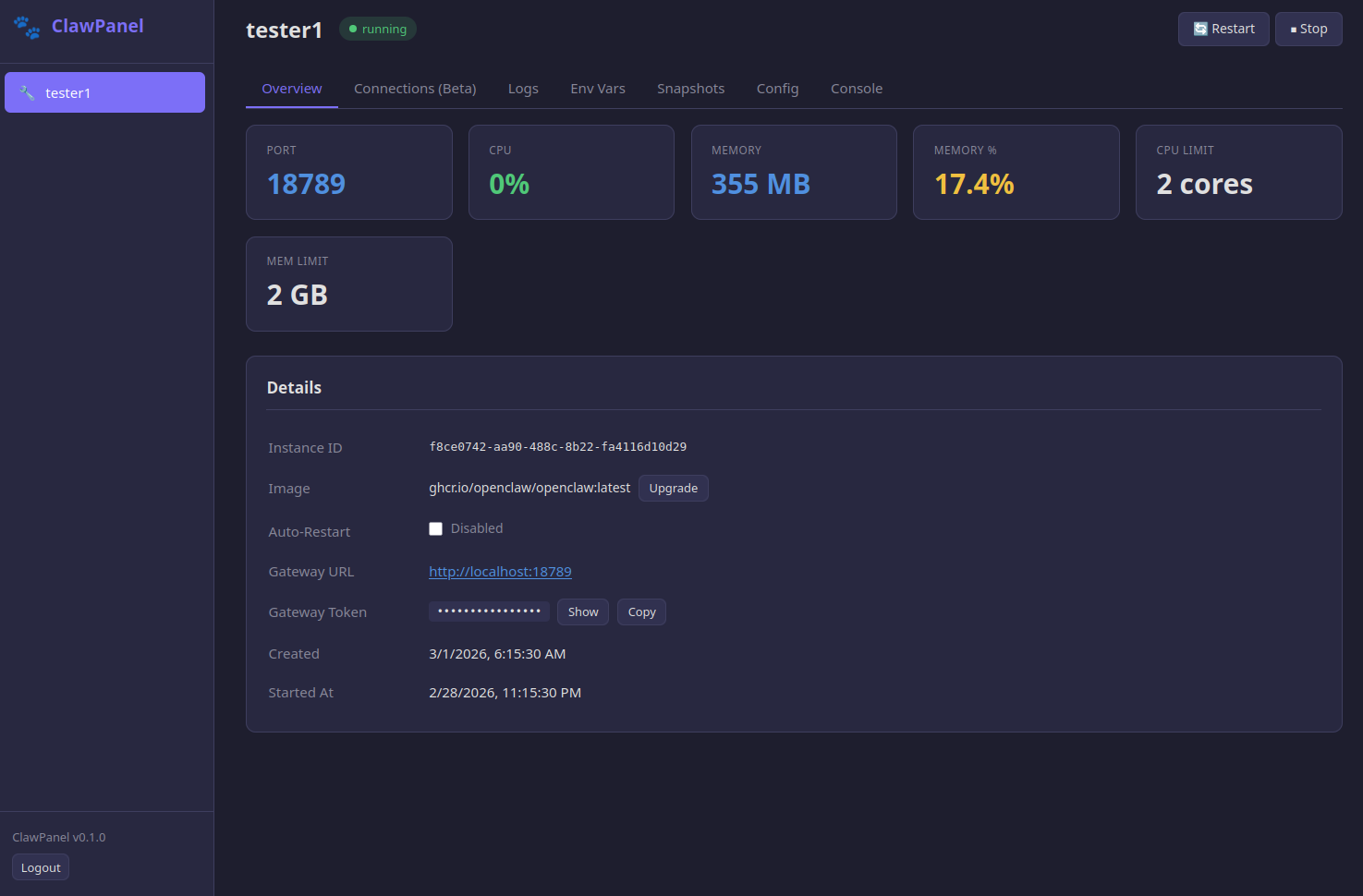
Why Run OpenClaw Locally?
Most AI agent platforms want you to rent a cloud server. But if you just want a personal assistant on Telegram or Discord, your own computer is the server. SingleClaw packages OpenClaw into a Docker container with a visual dashboard — install it, connect your bot token, and you have a running AI agent in minutes. No DevOps experience needed.
What You Get
How It Works
Step 1: Install Docker — If you don't have it already. Free on Mac, Windows, and Linux. Get Docker →
Step 2: Run the installer — One command pulls SingleClaw and starts the dashboard on your machine.
Step 3: Open the dashboard — Visit localhost:8080 in your browser. Enter your API key (Anthropic or OpenAI) and your Telegram/Discord bot token.
Step 4: Chat with your agent — That's it. Your AI assistant is running locally on your computer.
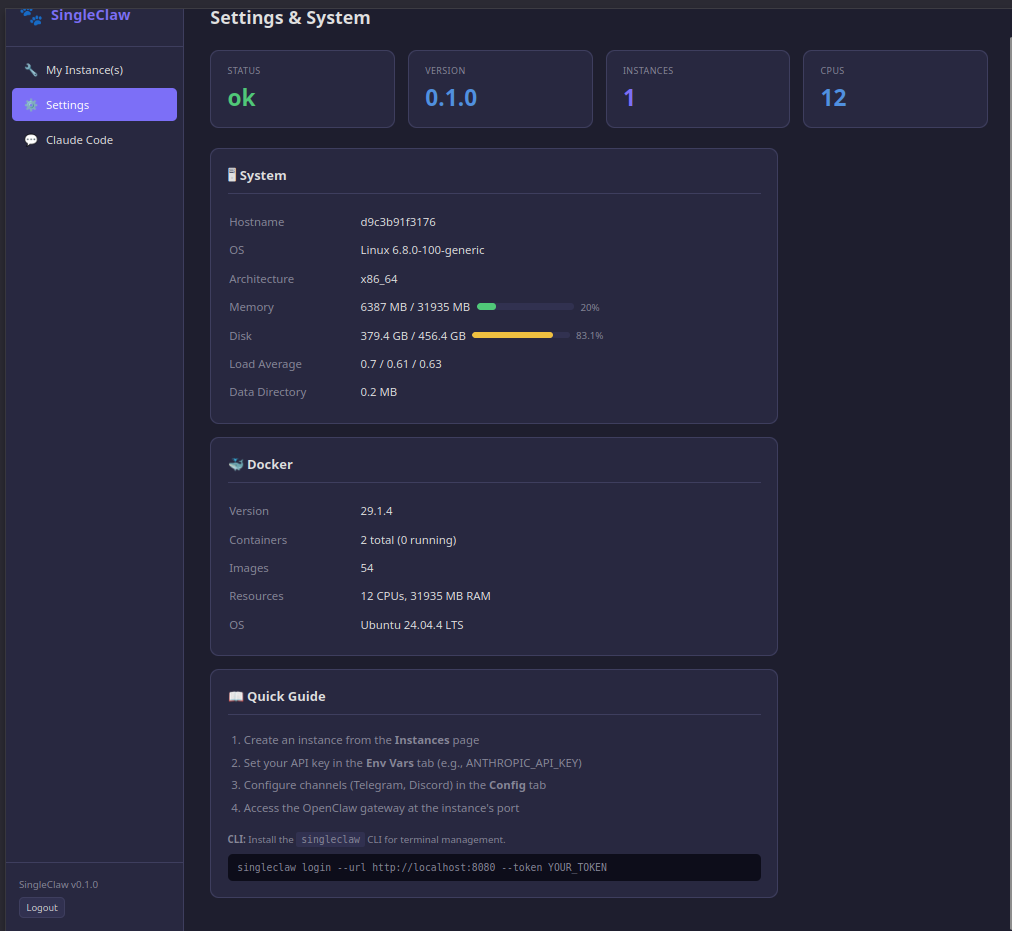
Everything in One Place
The Settings page shows your machine's specs — OS, memory, disk — alongside Docker status and a Quick Guide to get started. No guessing whether Docker is running or how much disk space you have left.
Install SingleClaw
Make sure Docker is installed on your computer, then run:
curl -fsSL https://clawworks.io/singleclaw/install.sh | bashThe installer starts SingleClaw and prints your dashboard URL and admin token. Open http://localhost:8080 in your browser and you're in.
Control SingleClaw from your terminal:
singleclaw start      # Start SingleClaw
singleclaw stop       # Stop SingleClaw
singleclaw restart    # Restart SingleClaw
singleclaw update     # Pull latest version and restart
singleclaw logs       # Follow container logs
singleclaw status     # Show container status
Who Is SingleClaw For?
- ✓ Developers who want a personal AI agent without paying for a server
- ✓ Privacy-conscious users who want their data to stay on their own machine
- ✓ Tinkerers who want to experiment with OpenClaw before committing to a VPS
- ✓ Anyone with a laptop and Docker who wants an AI assistant on Telegram or Discord
SingleClaw Pricing
SingleClaw FAQ
Docker Desktop on your Mac, Windows, or Linux machine. That's it. No cloud account, no VPS, no credit card for server hosting.
OpenClaw is lightweight — it mainly makes API calls to Claude or GPT. The dashboard shows real-time resource usage so you can keep an eye on it. Most users don't notice any impact.
Your agent runs while your computer is on and Docker is running. If you want 24/7 uptime, check out Managed Hosting or run ClawPanel on a VPS.
ClawPanel manages multiple agents on a server. SingleClaw is for running one agent on your own computer. If you outgrow it, your license credit applies to a ClawPanel upgrade.
Need multiple agents or 24/7 uptime? Check out ClawPanel.
Don't want to self-host at all? See Managed Hosting.