SingleClaw Product Tour
See how SingleClaw turns your laptop into an AI agent host. Install Docker, run one command, and you have a personal assistant running locally — with a dashboard to manage everything.
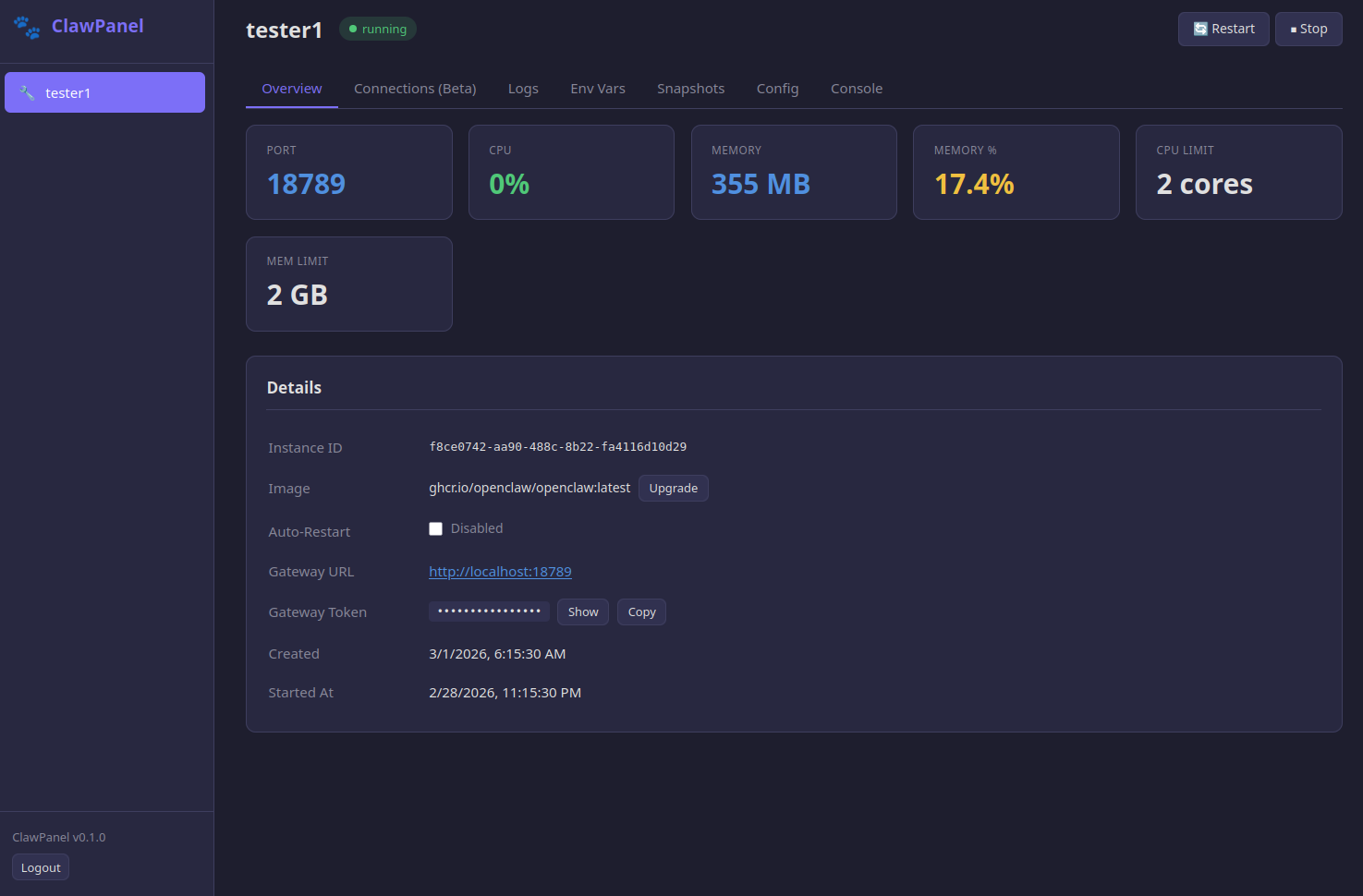
Your Agent at a Glance
The main dashboard shows everything about your local agent — CPU and memory usage, resource limits, gateway URL, access code, and uptime. No SSH, no Docker commands — just open localhost:8080in your browser and you can see exactly what's happening.
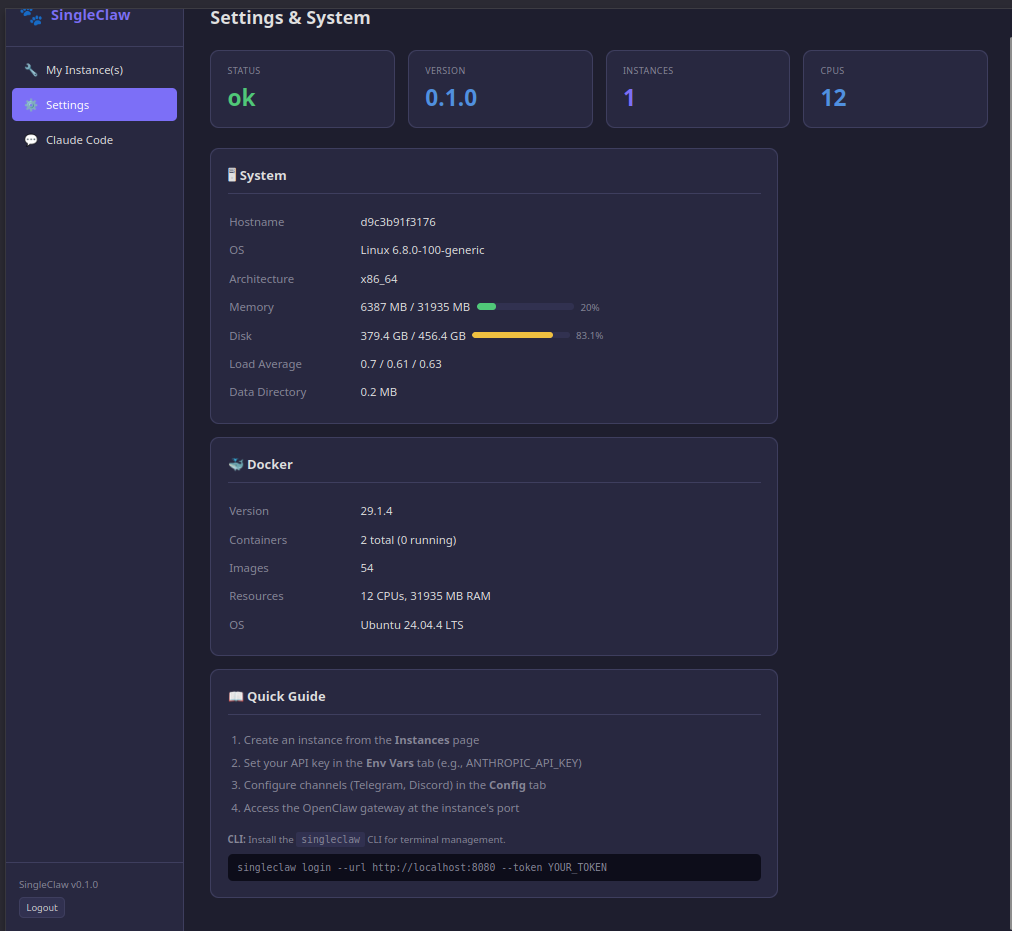
System Info & Quick Start
The Settings page shows your machine's specs — OS, total memory, disk space — alongside Docker version and container status. The built-in Quick Guide walks you through connecting your first bot token and getting your agent online.
Why Local Beats Cloud
🔧 Web Console
Full terminal access to your OpenClaw container, right in the browser. Run commands, check logs, inspect workspace files — all without opening a separate terminal or remembering Docker exec syntax.
💾 Snapshots & Rollback
About to change your agent's config or try a new model? Take a snapshot first. If anything goes wrong, roll back to the last working state in one click. Config, workspace, environment — all preserved.
🤖 Claude Code Built In
A full Claude Code terminal lives inside SingleClaw. Need to customize your Docker image? Debug a config issue? Set up a new channel? Claude Code handles it from the dashboard — powered by Claude Opus 4.6.
Run Your Own AI Agent — Right Now
$25, once. No subscriptions, no server costs, no cloud accounts. Just Docker and your computer.
Need multiple agents or 24/7 uptime? Check out ClawPanel.